Print Workflow Automation with n8n and Python: A Case Study on Quality Control Efficiency
Dor Peleg4 min read
Key facts
RILLOO built a print pre-flight automation for a large printing company: n8n handles incoming email, CRM updates and client replies, and a Python engine validates PDF bleed, resolution, color profiles and file integrity. It cut manual inspection time by over 40%.
- Industry
- PrintingA large printing company
- Challenge
- Staff manually opened thousands of print-job emails each day, checked PDF specifications and wrote replies, which was slow, error-prone and delayed production.
- Solution
- A hybrid automation: n8n monitors emails, extracts PDFs and updates the CRM, while a Python engine checks bleed, resolution, color profiles and file integrity, then triggers approval or fix-request emails.
- Results
- Reduced manual inspection time by over 40%
- Instant automated responses to clients
- Handles growing print volumes without additional headcount
- Technologies
- n8nPythonPyPDF2PillowCRM integration
Printing companies face a unique challenge: managing thousands of incoming print jobs daily, each requiring precise quality checks before production. Traditionally, this meant staff manually opening emails, reviewing PDF specifications, and responding to clients—a slow, error-prone process that drained resources and delayed production. This case study explores how a hybrid automation solution using n8n Automation and Python Scripting transformed the pre-flight quality control process for a large printing company, delivering measurable improvements in operational efficiency and client satisfaction.
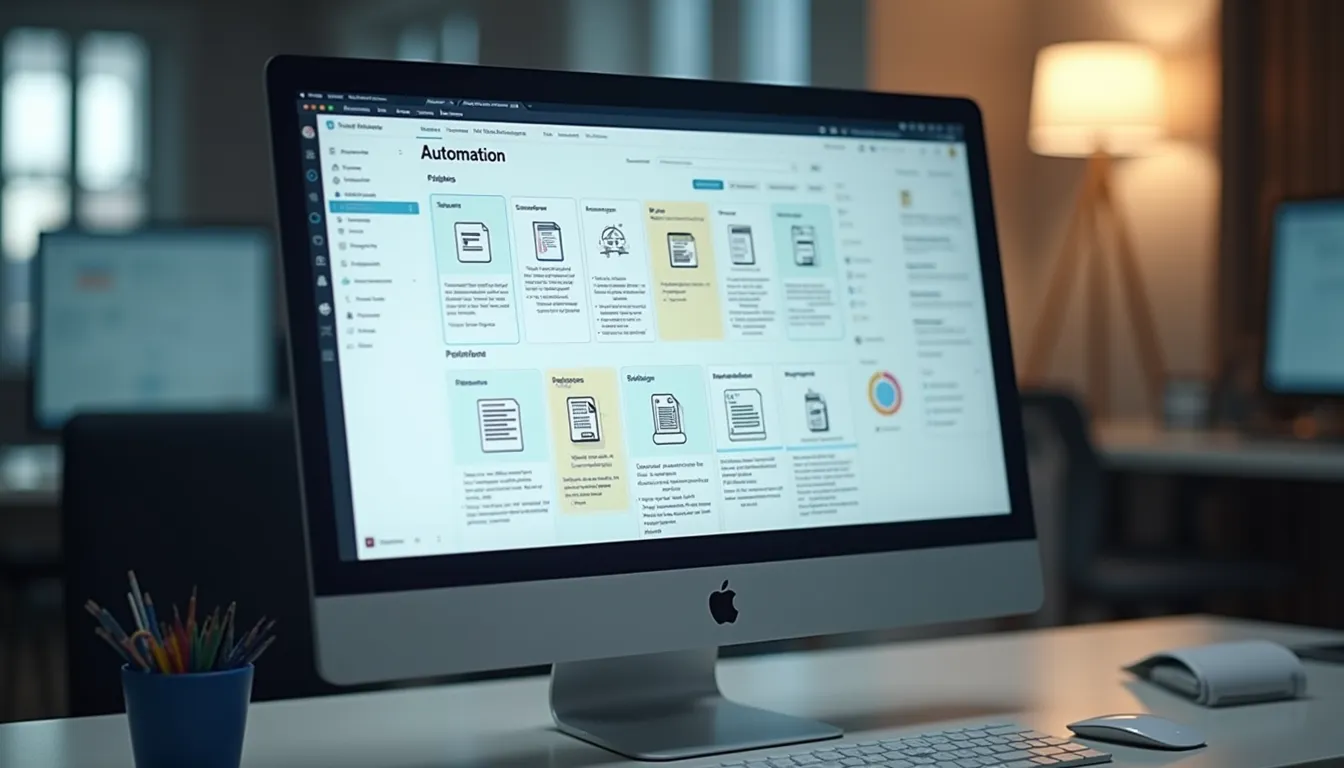
Print workflow automation dashboard showing email monitoring and PDF validation status
The Bottleneck
Print shops handle thousands of print job requests daily, mostly arriving via email. Each email contains PDF files that must meet strict specifications—correct bleeds, resolution, color profiles, and more. The manual process involved:
- Staff opening each email individually
- Downloading and inspecting PDF files manually
- Checking technical specs against client requirements
- Writing personalized email replies to approve or request fixes
This manual workflow created several problems:
- Time-consuming: Staff spent hours daily on repetitive tasks
- Error-prone: Human oversight led to missed defects or incorrect approvals
- Delayed feedback: Clients waited hours or days for responses, slowing production
- Resource-intensive: Valuable human resources were tied up in routine checks instead of higher-value tasks
The printing company needed a solution that could automate these checks while maintaining flexibility and accuracy.
The Architecture (The Hybrid Approach)
To address these challenges, we designed a hybrid automation architecture combining the strengths of n8n Automation and Python Scripting. This approach balanced workflow orchestration with complex file analysis.
The Brain (n8n)
We chose n8n as the central orchestrator because of its:
- Speed and connectivity: Easy integration with email servers, CRM systems, and notification channels
- Visual workflow builder: Simplified designing and maintaining complex logic
- Open-source flexibility: Ability to extend with custom code when needed
In this solution, n8n handles:
- Monitoring incoming emails for new print job requests
- Extracting PDF attachments automatically
- Routing extracted data to the Python validation engine
- Managing decision logic based on validation results
- Updating CRM records and sending client notifications
The Muscle (Python)
While n8n excels at workflow management, it lacks the capability for deep PDF analysis. We developed a custom Python script wrapped in a simple user interface to perform:
- Bleed checks: Verifying margins meet print bleed requirements
- Resolution analysis: Ensuring images meet minimum DPI standards
- Color profile validation: Confirming correct color spaces for print quality
- File integrity checks: Detecting corrupted or incomplete PDFs
This Python engine runs on demand, triggered by n8n, and returns detailed validation reports. The UI allows print operators to review or override results if necessary.
The Workflow Logic
The automation workflow follows two main scenarios based on the Python validation outcome:
Scenario A (Failure)
- The Python script detects issues such as missing bleeds, low resolution, or incorrect colors.
- It generates a detailed error message explaining the problem.
- n8n automatically captures this message and sends an email reply to the client.
- The email requests a corrected file, including specific instructions to fix the detected issues.
- The CRM status updates to “Requires Fix,” enabling easy tracking.
Scenario B (Success)
- The Python script confirms the PDF meets all specifications.
- n8n updates the CRM status to “Approved.”
- The production team receives an immediate notification with the approved file details.
- The client receives a confirmation email, speeding up the overall print process.
This logic eliminates manual intervention in most cases, allowing staff to focus on exceptions or complex jobs.
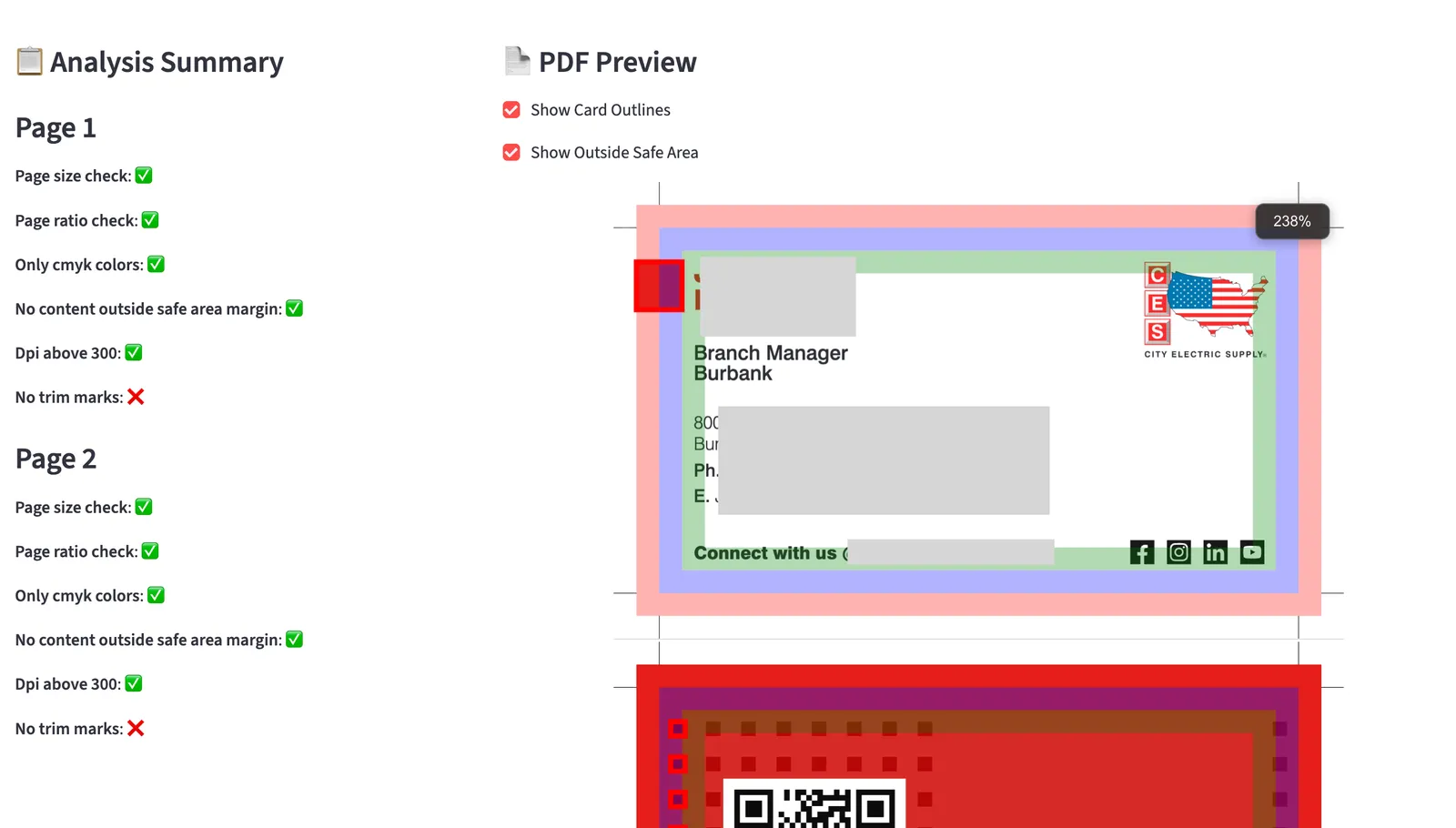
UI for analyzing PDF files for print quality control
Business Impact
The hybrid automation solution delivered significant benefits:
- Reduced manual inspection time by over 40%: Staff no longer needed to open and check every email and PDF manually.
- Faster client feedback: Automated emails provided instant responses, improving client communication and satisfaction.
- Improved accuracy: Automated PDF validation reduced human errors and rework.
- Streamlined CRM integration: Real-time status updates kept sales and production teams aligned.
- Scalable process: The system easily handled growing print volumes without additional headcount.
The printing company reported smoother operations and faster turnaround times, directly impacting their bottom line.
Why n8n and Python?
We selected this stack for clear reasons:
- n8n Automation offers rapid workflow development and seamless integration with email, CRM, and notification systems. Its visual interface reduces maintenance complexity.
- Python Scripting provides the power and flexibility needed for complex PDF validation tasks that standard tools cannot handle. Python libraries like PyPDF2 and Pillow enable precise file analysis.
- The hybrid approach combines the best of both worlds: easy orchestration with deep technical processing.
This architecture can adapt to other file validation and workflow automation needs beyond printing.
If your business struggles with complex file workflows or manual quality control, RILLOO can build a custom automation engine tailored to your needs. Contact us to explore how Print Workflow Automation, PDF Validation, and CRM Integration can improve your operational efficiency.