n8n vs Zapier vs Make: Why We Choose n8n for Enterprise Automation
Dor Peleg5 min read
Key takeaways
- Zapier excels at simple, linear workflows but its per-task pricing scales steeply and it offers limited support for complex logic.
- Make offers visual multi-step workflows with branching and better pricing for moderate volumes, but complex scenarios can become cluttered.
- Zapier and Make are cloud-only, while n8n can be self-hosted, giving companies full control over where their data resides.
- n8n allows custom JavaScript and Python inside workflow nodes, enabling complex data transformations and integration with proprietary APIs or legacy systems.
- When n8n is self-hosted, the main cost is infrastructure rather than per-task fees, suiting high-volume enterprise automation.
Workflow automation has transformed how businesses operate, but not all automation platforms are built the same. For companies ready to move beyond simple task automation, choosing the right tool can make a huge difference in scalability, flexibility, and data control. As a Senior Automation Architect at RILLOO, I have worked extensively with Zapier, Make (formerly Integromat), and n8n. This article explains why n8n stands out as the best option for complex, enterprise-grade automation.
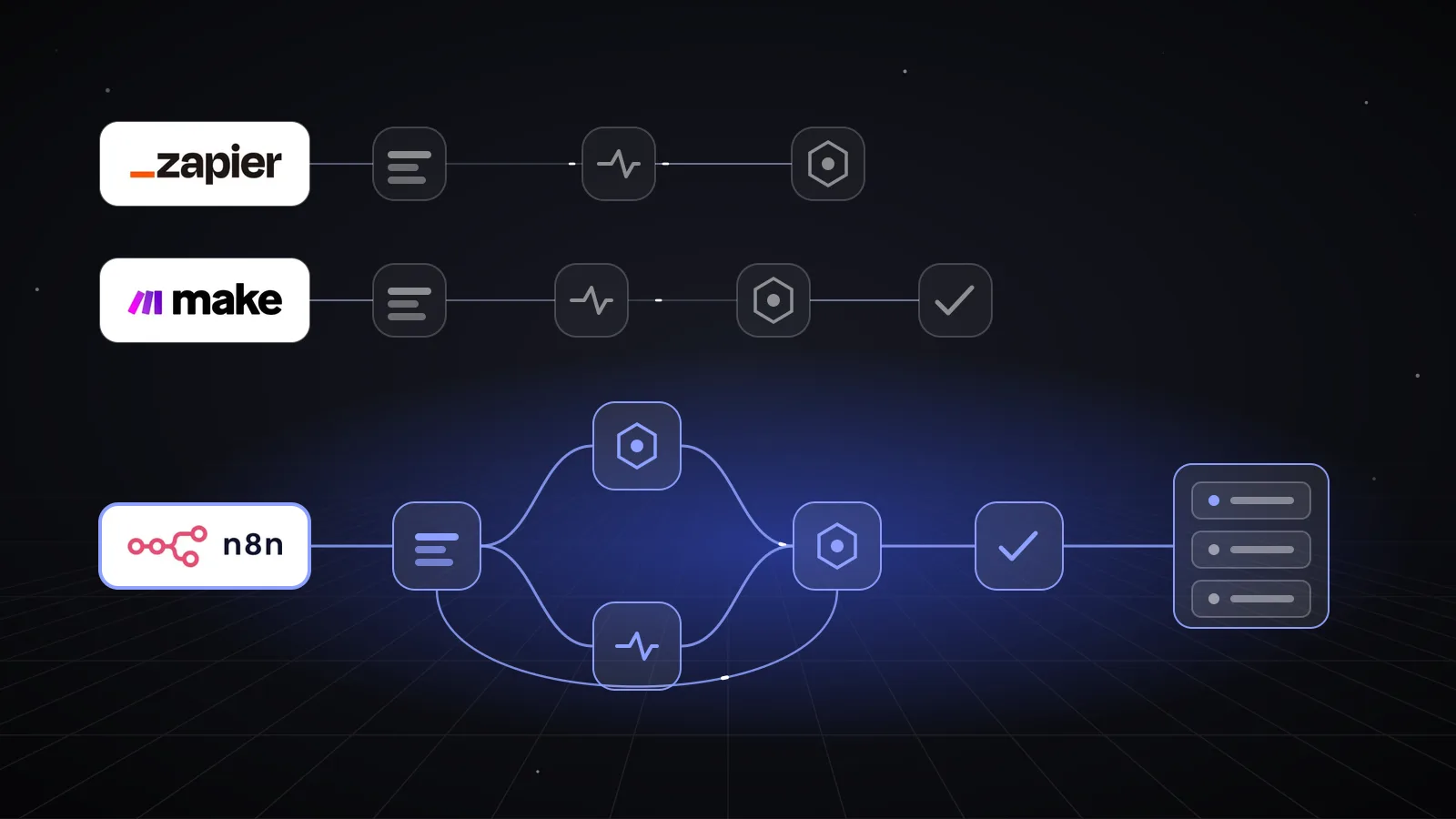
Visual representation of a node-based automation workflow in n8n
How has low-code/no-code automation evolved?
The rise of low-code and no-code platforms has opened automation to a wider audience. These tools allow users to build workflows without deep programming knowledge, speeding up development and reducing dependency on IT teams. However, as businesses grow, their automation needs become more complex, requiring advanced logic, custom integrations, and strict data governance.
This shift has created a spectrum of automation platforms, from simple trigger-action tools to highly customizable, developer-friendly systems. Understanding where Zapier, Make, and n8n fit on this spectrum helps clarify which tool suits which use case.
How do Zapier, Make and n8n compare?
Zapier: The Easy Button
Zapier is often the first automation platform many try. It excels at simple, linear workflows where one event triggers another action. Its user-friendly interface and vast app ecosystem make it ideal for quick prototypes and small-scale automations.
Strengths:
- Intuitive setup with minimal learning curve
- Supports thousands of apps out of the box
- Reliable for straightforward tasks
Limitations:
- Pricing scales steeply with task volume, making it expensive for heavy use
- Limited support for complex logic or data transformations
- Cloud-only, so data privacy depends entirely on Zapier’s infrastructure
Zapier works well for startups or teams automating basic processes but struggles when workflows require branching logic, looping, or handling large data sets.
Make.com: The Visual Designer
Make (formerly Integromat) offers a more visual and flexible approach. Its drag-and-drop interface allows users to build multi-step workflows with conditional logic, data parsing, and error handling. It supports more complex scenarios than Zapier and offers competitive pricing.
Strengths:
- Visual scenario builder with branching and looping
- Better pricing for moderate volumes
- Supports HTTP requests and JSON parsing for custom integrations
Limitations:
- Complex workflows can become visually cluttered and hard to maintain
- Limited coding options inside the platform
- Also cloud-only, raising concerns for sensitive data
Make is a solid middle ground for teams needing more than Zapier but not ready for full developer control.
n8n: The Developer’s Choice
n8n is an open-source, node-based automation platform designed with developers in mind. It combines the ease of visual workflow design with the power to write custom code and self-host workflows. This makes it uniquely suited for enterprise environments with demanding automation needs.
Strengths:
- Open-source with fair-code licensing
- Self-hosting option ensures full data sovereignty
- Allows custom JavaScript and Python inside nodes for limitless flexibility
- Scales efficiently with a cost-effective execution model
- Supports complex workflows with branching, loops, and error handling
Limitations:
- Steeper learning curve compared to Zapier
- Requires infrastructure for self-hosting (though managed options exist)
For enterprises, n8n offers the best balance of control, customization, and cost-efficiency.

Server rack illustrating self-hosted automation infrastructure for data sovereignty
What are the key differences that make n8n the stronger choice?
Self-Hosting and Privacy
Data sovereignty is a critical concern for industries like healthcare, finance, and any business subject to GDPR. Zapier and Make operate exclusively as cloud services, meaning your data passes through and is stored on their servers. This can create compliance risks and limit control.
n8n’s self-hosting capability lets companies run automation workflows on their own infrastructure or private cloud. This means:
- Full control over where data resides
- Ability to comply with strict regulatory requirements
- Reduced risk of data breaches or unauthorized access
For organizations prioritizing privacy and compliance, n8n is the clear choice.
Coding Freedom
While Zapier and Make offer some customization, they limit developers to predefined actions or basic scripting. n8n allows embedding custom JavaScript or Python code directly inside workflow nodes. This unlocks:
- Complex data transformations
- Integration with proprietary APIs or legacy systems
- Advanced error handling and conditional logic
This coding freedom means developers can build workflows that precisely fit business needs without waiting for platform updates or workarounds.
Pricing and Scaling
Zapier charges per task executed, which quickly becomes expensive at scale. Make offers better pricing but still bills based on operations, and complex workflows can consume many operations per run.
n8n uses a workflow execution model that is more cost-effective for high-volume automation. When self-hosted, the main cost is infrastructure rather than per-task fees. This makes n8n ideal for:
- Businesses with thousands or millions of workflow executions monthly
- Automations involving large data processing or multiple steps
- Teams wanting predictable, scalable costs
When to Use What
Zapier remains a good choice for:
- Rapid prototyping
- Simple automations with low volume
- Non-technical users needing quick wins
Make suits teams that want:
- More complex logic than Zapier
- Visual workflow design with moderate customization
- Cloud-only solutions with better pricing
n8n is best for:
- Enterprises needing full control over data and infrastructure
- Developers building complex, scalable workflows
- Businesses requiring custom code and integrations
Final Thoughts
Choosing the right automation platform depends on your business needs, technical resources, and compliance requirements. Zapier and Make serve well for simple to moderately complex workflows, but they fall short when automation demands grow.
n8n’s open-source nature, self-hosting option, and coding flexibility make it the ultimate choice for enterprise workflow automation. It empowers developers to build scalable, secure, and highly customized systems without the cost penalties of other platforms.
If your organization has outgrown Zapier or Make and needs serious automation capabilities, consider migrating to n8n. Contact RILLOO to explore how we can help you transition your workflows smoothly and unlock the full potential of automation.